Home › Naukri autofill
Autofill Naukri job applications in Chrome
Score Naukri listings against your resume, open the good matches, and stop retyping your contact details on every application. ApplyCandid works inside the Naukri tab you are already logged into — it never asks for your Naukri password and has no field to store one in.
No password, ever
The extension acts inside the browser tab you have already signed into. There is no Naukri credential field anywhere in the product, nothing to leak, and nothing to rotate if you change your password. That is a design decision rather than a missing feature — a tool that holds your job-portal password is a tool that can lose it.
What it does on a Naukri application
With auto-submit off, which is the default, it fills nothing on Naukri itself: a run scores each job and opens the matches in their own tabs, and you apply yourself. With auto-submit on, it clicks Apply and works through Naukri's questions:
- Contact and profile fields — name, email, phone, city, current title, school and degree — from the profile you save once in the side panel.
- Your resume and a cover letter — the resume uploaded where Naukri asks for a file, and a cover letter drafted from your resume and the job description.
- Typed and drop-down screening questions — answered by AI from your resume. That includes questions such as notice period or expected CTC, so with auto-submit on, those answers go out without your review. Yes/no radio and checkbox questions are not answered; an application that requires one fails and is logged, rather than guessed.
Your saved notice period, current and expected CTC and experience range are filled exactly as you saved them on company career-site forms, with Fill This Page. How to answer CTC and notice-period questions.
You stay in control of Apply
Clicking Apply on Naukri can send your application immediately. So with auto-submit off, which is the default, a run scores each job and opens the matches in their own tabs for you to review and apply to yourself.
Match scoring, so you are not applying to everything
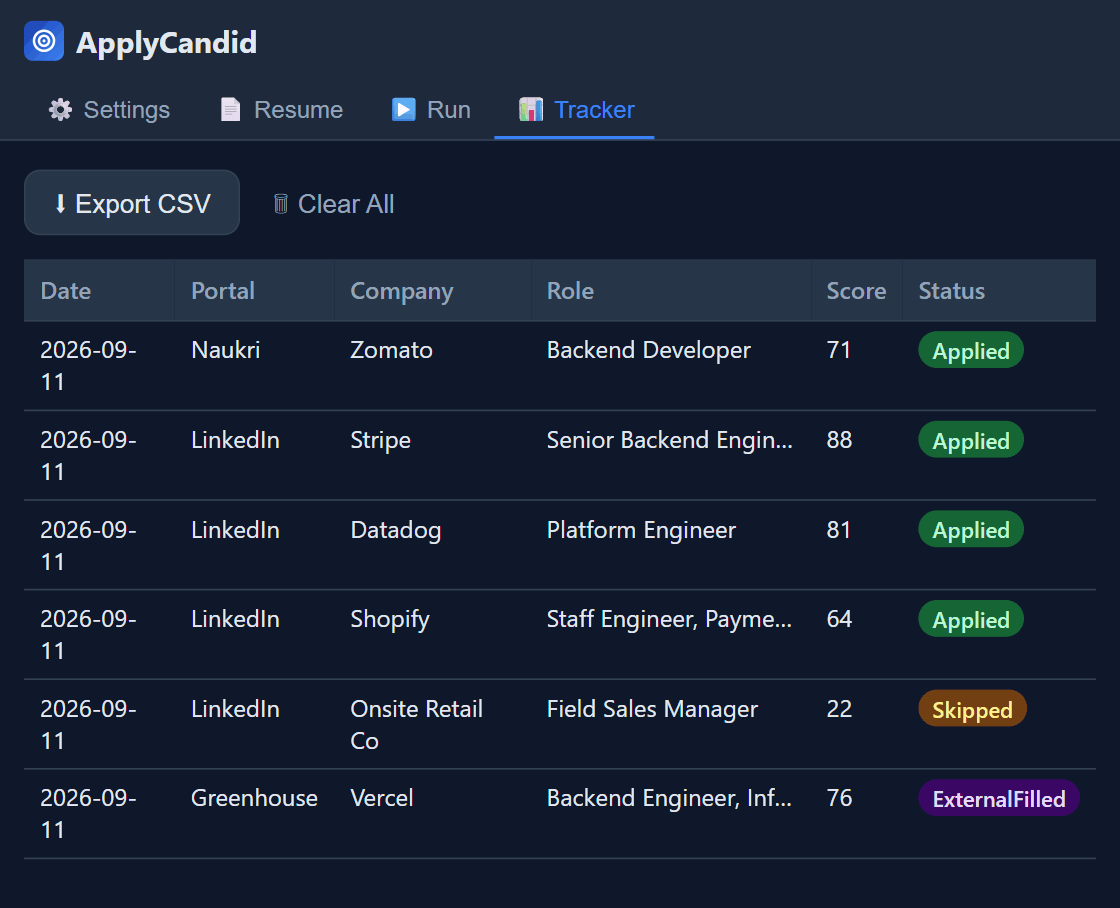
Each listing gets a relevance score against your profile before anything is filled, and a minimum score you choose decides what gets acted on. Listings below it are logged as Skipped rather than silently ignored — you can see what was passed over and why. Volume is not the goal; not wasting an application on a role you would not take is.
On account risk: Naukri, like LinkedIn, can restrict accounts for unattended scripted activity. That risk is real and yours to weigh. Auto-submit is off by default, capped per day when you turn it on, and Dry Run shows you exactly what a run would do before it does anything.
More for job seekers in India: job application autofill for India.
Foundit, LinkedIn and Indeed too
The same profile drives LinkedIn and Indeed Easy Apply, Foundit, and external company career portals — Greenhouse, Lever, Workday, iCIMS and the rest — so you are not maintaining separate answers per site. See the Workday autofill page for how external ATS forms are handled, and LinkedIn Easy Apply for that flow specifically.
Common questions
Does it need my Naukri password?
No, and there is nowhere to enter one. It operates inside the tab you are already logged into. How that works in detail.
Is it free for Naukri?
Yes. Naukri Easy Apply, deterministic autofill, and 20 AI drafts a day are all on the free tier, capped at 5 applications per run. Pro removes the caps and adds per-job resume tailoring and unlimited external ATS applying.
Can it get my Naukri account restricted?
Automated activity may breach the terms of service of some job portals, and any consequence to your account is yours to carry. Auto-submit is off by default and capped per day when enabled, specifically to avoid the bursty pattern that gets flagged. Start with Dry Run.